Artistic Spray
Artistic Spray  simulates spray painting on an image. The brush does not apply paint in a continuous line, but rather in raised drops, scattered along the stroke. Press A to quickly access this brush.
The tool's parameters will be shown in a floating box over an image (by right-clicking the mouse) and also in the Settings Panel.
To change a parameter's setting, enter a numerical value in its box and press Enter (Mac: Return) or move the slider.
- Size (10-300). The maximum width of a line applied by the brush (in pixels).
-
Drop Density (1-100). The density of drops in the total area of a stroke. At higher value more drops are applied in a stroke.
Poppy Seed Bagel 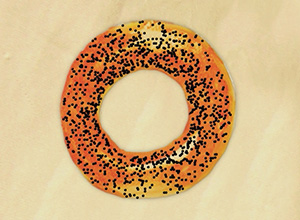
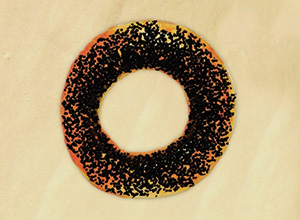
Drop Density = 10 Drop Density = 55 -
Drop Size (1-50). The diameter of individual dots. Larger dots will merge, forming strangely shaped line with irregular edges.
Air Bubbles in an Aquarium 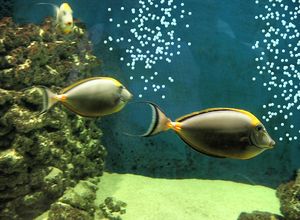
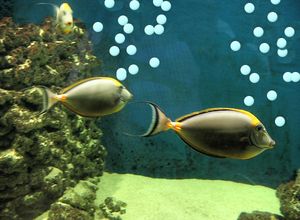
Drop Size = 6 Drop Size = 20
Paint color is set in the Color/Swatches palettes. To choose a different color bring the cursor over the spectral bar (the cursor will take the shape of a pipette) and click on the desired color or double-click on the square and choose a color from the Select Color dialog. In some cases, selecting a color is more convenient than manually selecting the components of a color via the sliders.