Edição de retratos
O AKVIS MultiBrush ajuda você a retocar fotos e melhorar retratos. Ele remove objetos indesejados de fotos digitais.
Vamos tentar ver como essa menina fica sem os óculos.
 |
 |
-
Passo 1. Abra a foto em seu editor de fotografia. Você também pode abrir a foto na versão autônoma do MultiBrush e alcançar os mesmos resultados como neste exemplo.
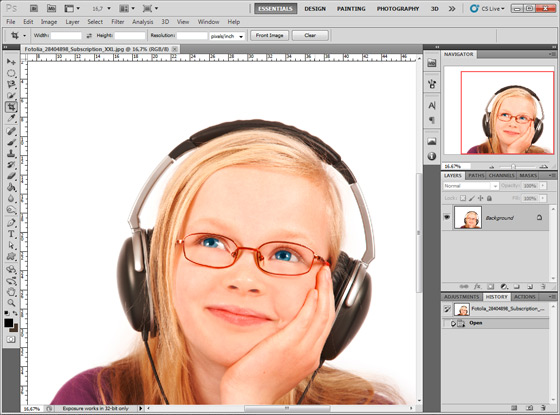
- Passo 2. Chame o plugin AKVIS MultiBrush. No Adobe Photoshop, você deve selecionar o item de menu Filtro -> AKVIS -> MultiBrush, no Corel (Jasc) Paint Shop Pro - o item de menu Efeitos -> Plugins -> AKVIS -> MultiBrush e no Corel Photo-Paint - o item do menu Efeitos -> AKVIS -> MultiBrush.
-
Passo 3. Selecione a ferramenta Pincel-camaleão na Barra de ferramentas pressione o botão
 e defina um tamanho pequeno de pincel.
- Passo 4. Desative a caixa de seleção Alinhado de modo que, toda vez que você aplicar a escova, o padrão é tirado de um mesmo ponto de partida.
-
Passo 5. Pressione a tecla Alt (Option no Mac) e use o botão esquerdo do mouse para pegar a amostra da testa da menina, que será a área de origem.
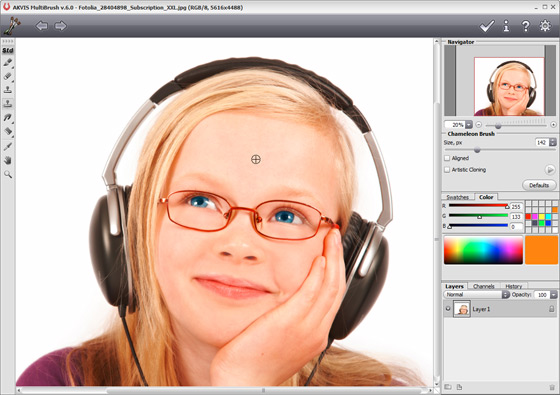
-
Passo 6. Aplique o pincel nos traçados da armação do óculos.
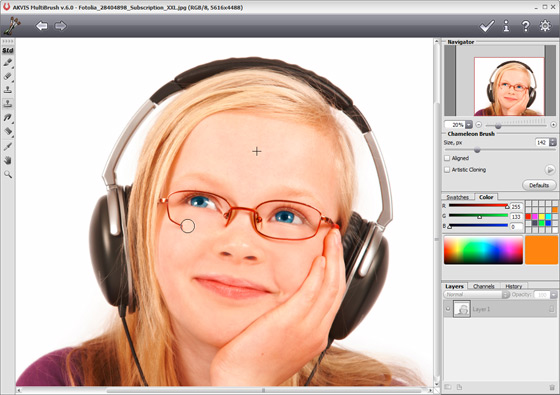
-
Passo 7. Pressione o botão
 no Painel de controle para aplicar o resultado do retoque e feche a janela do plugin.
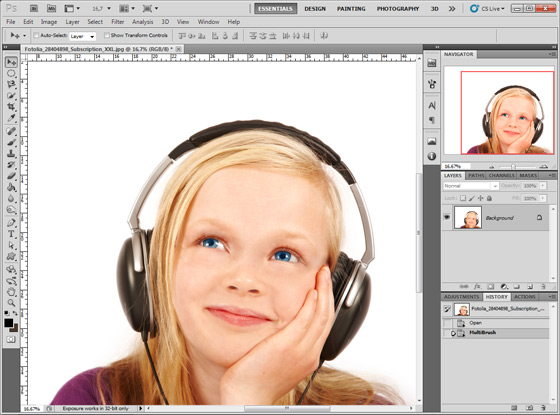
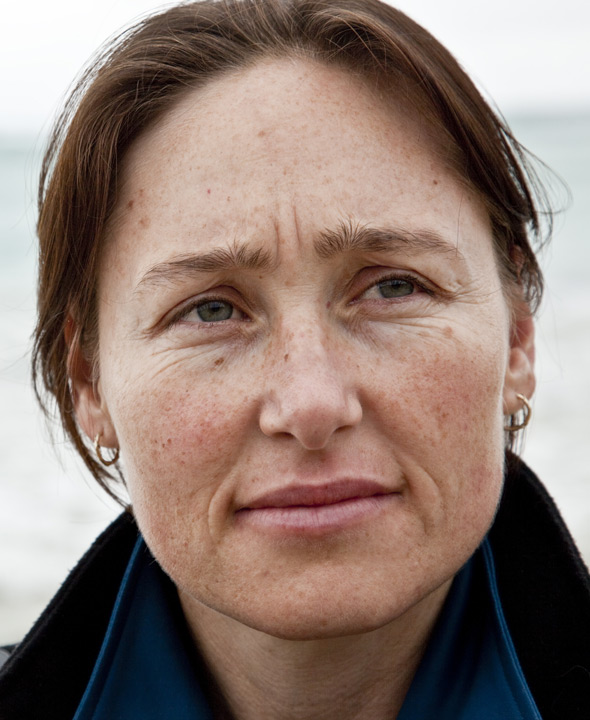
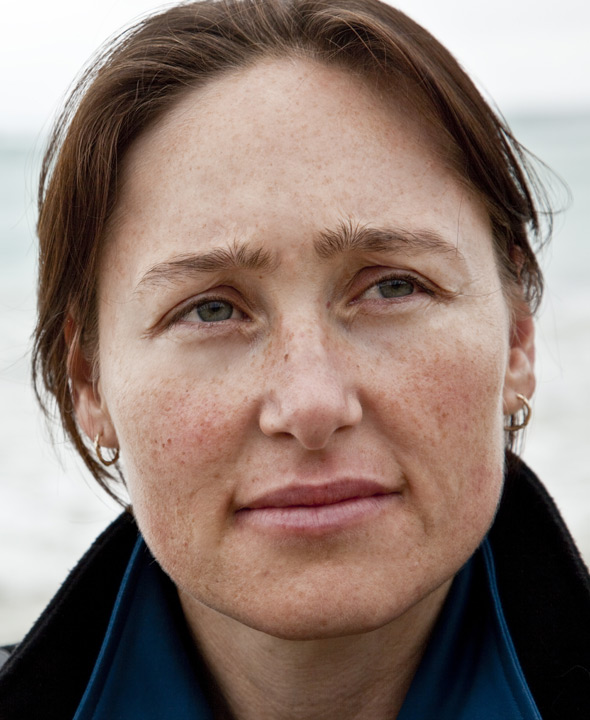
Você também pode usar esse método para remover pequenos defeitos, como sardas, cicatrizes, marcas de nascença e até rugas.
Clique em qualquer imagem para ver uma versão ampliada em uma nova janela.
 |
 |
 |
 |
 |
 |
