Portrait Editing: Removing Glasses
Combine Images: Emersion Effect
Watercolor Portrait from a Photo
Neural Filters (AI)
Superhero Watercolor Poster
Comic Book Drawings
Glowing Illustration
Creative Use of Clone Stamp Tool
Extract a Person from a Photo
Using Chroma Key
Change a Background
Particles & Flowing Lines
Creating a Pastel Artwork
Using Artistic Plugins
Oil Painting Effect
Digital Art
Explosion Effects
Old Photo Restoration
High Pass Effect
Adding Watermarks
Fit Text to Path Tool
Chameleon Brush: Artistic Cloning
AKVIS Plugins Installation
Brush Editor: Texture Brush
Brush Editor: Select Shape
Brush Editor: Ellipse
Shadow Effects
Sharpen Effects, Two Keys
Stylization Effects
Distortion Effects
Blur Effects
Points Plugin
Enhancer Plugin
Neon Plugin
NatureArt Plugin
LightShop Plugin
HDRFactory Plugin
AirBrush Plugin
Working with Text
Alignment Options
Black & White Adjustment
Posterize Adjustment
Threshold Adjustment
Invert Adjustment
Hue/Saturation
Brightness/Contrast
Curves Adjustment
Levels Adjustment
Adjustment Layers
Batch Processing
Image Resizing
Installation on Windows
Installation on Mac
Partial Desaturation
Stone Engraving Effect
Creative Use of Glitch Art
How to Brighten a Dark Portrait
Face & Body Shaping
Change the Weather
5 Ways to Get Black & White Photos
Enhance a Portrait with High Pass
Valentine's Day Card
Andy Warhol Style Portrait
Polaroid Photo Collage
Bookshelf Wallpaper
Mosaic Effect
Water Drop
Outline Text Effect
Vintage Photo Effect
Old Photo Effect
Bokeh Effect
Image Toning
How to Change Eye Color
Removing Glasses
Selecting Lipstick
Old Photo Retouching
AliveColors helps you to retouch photos and enhance portraits. It removes unwanted objects in your digital pictures.
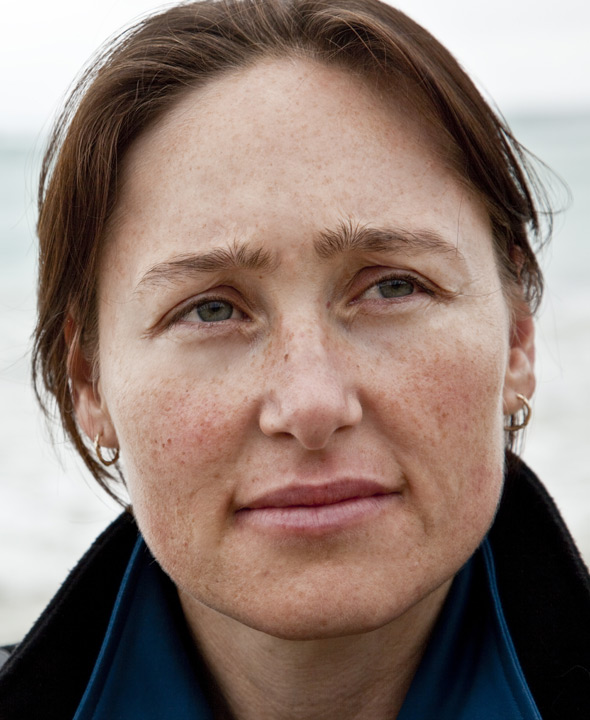
We will try to see how this girl looks without the eyeglasses. And below, find more possibilities for using the same tool.


Open the photo in AliveColors.

Select the Chameleon Brush  and adjust its size.
Deactivate the Aligned check-box so that every time you apply the brush, the pattern is taken from the same starting point.
Press the Alt-key on Windows or Option in Mac and use the left mouse button to sample the girl's forehead, it will be the source area.
Very carefully, in a few steps, apply the brush to the glasses frame.

As a result of a few simple steps, the portrait was completely transformed.

You can also use this method to remove small defects, such as freckles, scars, birthmarks, wrinkles, you can even remove piercing or tattoo.
Click the image to see a larger version in a new window.




.gif)