ローラー
ローラー は、ローラーを使ってペンキを塗るような効果が得られます。平らで気泡が入ったブツブツが多く見られ、ペンキにはむらが生じます。 Rを押すと、簡単にこのツールに切り替えられます。
ツールのパラメータは、イメージ上を右クリックして表示されるボックスと 設定パネル の両方で調整できます。
パラメータ値を変更する場合、パラメータ フィールドに数値を入力して Enter キー(Macintoshでは Returnキー) を押すか、スライダを左右に動かして調整します。
- 範囲 (設定可能値は10-200): ブラシで引くラインの幅をピクセルで指定します。
-
塗りつぶし (設定可能値は0-100): 一筆のストロークの濃度を指定します。重ね塗りする度にストロークの濃度は濃くなます。値が低い場合、指定した色は淡くなります。値が 100%の場合、指定した色は最大濃度で描かれます。


塗りつぶし = 10 塗りつぶし = 60 -
フェード (設定可能値は0-100): ストロークの長さを指定します。ペンキがなくなってくると、かすれたストロークになります。


フェード = 3 フェード = 12 -
[色混合] チェックボックス: ブラシを使用するときの絵の具の状態を指定します。チェックボックスがオンの場合、乾いていない水性絵の具が混じるようにストローク同士が混合されます。チェックボックスがオフの場合、乾いた状態のように色が混じり合うことはありません。
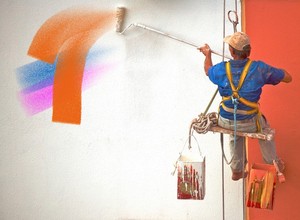
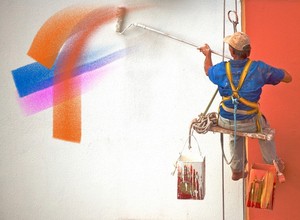
[色混合]チェックボックス無効 [色混合]チェックボックス有効
ペンキの色は、[カラーパレット&スウォッチ]で指定します。色を変更する場合、パネルの下部にあるスペクトルバー内にカーソルを置くと、カーソルがスポイトに切り換わりますので、色をクリックして指定します。またはカラーウェルをダブルクリックして、色選択ダイアログボックスから指定することもできます。場合によっては、このように色を選択するほうが、スライダを使って色要素を手動で選択/設定するより良いかもしれません。