Rimozione di un oggetto
AKVIS MultiBrush ha in sé molti strumenti che permettono di rimuovere non solo piccoli difetti (rughe, lentiggini e cicatrici) ma qualsiasi oggetto di disturbo, anche di grandi dimensioni.
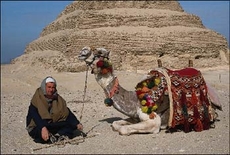
Aprire l’immagine; in questo caso è un cammello con il suo cammelliere, e noi andremo a rimuovere quest'ultimo.
 |
 |
-
Passaggio 1. Selezionare lo strumento Pennello camaleonte
 dalla barra degli strumenti di AKVIS MultiBrush e regolare la dimensione del pennello.
-
Passaggio 2. Disattivare la casella Allineato in modo che ogni volta che si applica il pennello, il frammento è prelevato dallo stesso punto di partenza.
Dovremo lavorare un po’, perché non c’è una parte del deserto adeguatamente grande per riempire il posto del cammelliere.
-
Passaggio 3. Premere il tasto Alt (Opzione su Mac) ed usare il pulsante sinistro del mouse per specificare il punto di partenza del frammento di deserto, l’area che ha la giusta texture è in prossimità della testa del beduino.
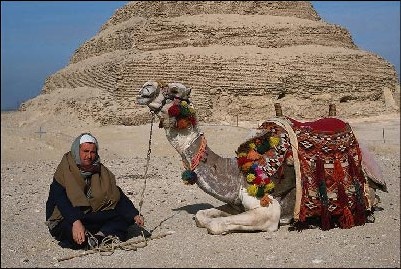
-
Passaggio 4. Applicare il pennello per sostituire la testa, le spalle e la corda con la texture clonata.
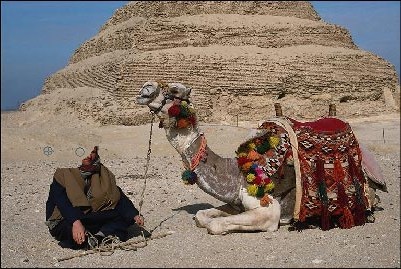
- Passaggio 5. Premere nuovamente il tasto Alt ed utilizzare il pulsante sinistro del mouse per specificare il nuovo punto di partenza del frammento, iniziando dall’area sabbiosa in primo piano, sulla sinistra del cammelliere.
-
Passaggio 6. Applicare il pennello fino a sostituire completamente il beduino, il suo bastone e la parte inferiore della corda.
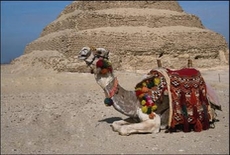
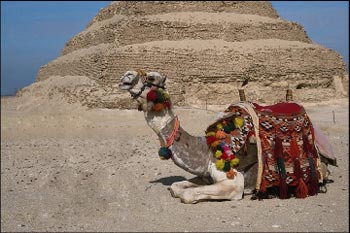 Il beduino si è volatilizzato!