Cómo eliminar un objeto
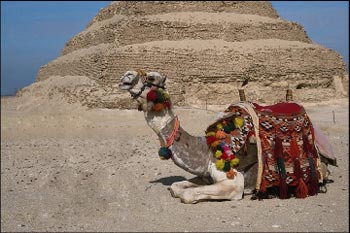
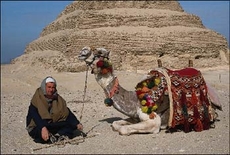
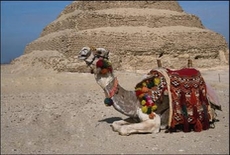
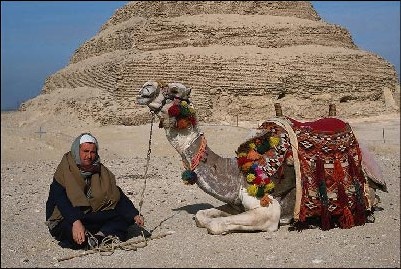
En otros tutoriales utilizamos las herramientas de AKVIS MultiBrush sólo para eliminar pequeños defectos: arrugas, pecas, marcas de nacimientos y cicatrices. Ahora, nos propondremos llevar a cabo una tarea más amplia. Abriremos la imagen de un camello que se encuentra con su camellero y eliminaremos a este último de la fotografía.
 |
 |
-
Paso 1. Seleccione la herramienta Pincel camaleón
 de la Barra de herramientas de AKVIS MultiBrush. Posiciónese encima de la imagen y haga clic con el botón derecho del mouse y ajuste el tamaño del pincel.
- Paso 2. Desactive la casilla Alineado de modo que, cada vez que aplique el pincel, el patrón se tome desde un único punto de partida, que siempre será el mismo; es decir, cuando la casilla está desactivada, cada vez que se presiona el botón del mouse, un cursor con forma de cruz aparecerá sobre la zona original (zona de la fuente de imagen) y nuevas líneas crearán un clon procedente únicamente de esa zona.
-
Paso 3. Mantenga presionada la tecla Alt (Opción en Mac) y haga clic con el botón izquierdo del mouse para especificar el patrón del desierto que tiene la misma textura que el sector que se encuentra cerca de la cabeza del camellero.
-
Paso 4. Aplique el pincel para reemplazar la cabeza, los hombros y la cuerda con la textura clonada.
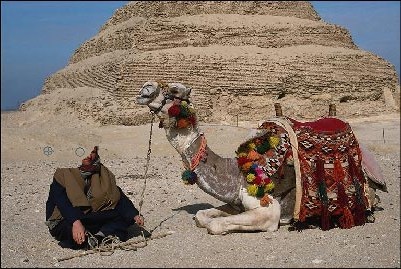
- Paso 5. Ahora mantenga presionada la tecla Alt y haga clic con el botón izquierdo del mouse para especificar el patrón de la arena que se observa en primer plano, a la izquierda del camellero.
-
Paso 6. Aplique pinceladas con la textura clonada sobre el beduino, el bastón y la parte inferior de la cuerda.