The Artistic Pencil in AKVIS MultiBrush


Ingrese su email para suscribirse a la lista de AKVIS.
 
 
  Productos     Descargar     Tienda online     Tutorial     Apoyo técnico     Compañia      Área de clientes
en  fr  de  es  pt  it  jp  ru    
 

Tutorial: AKVIS MultiBrush

Artistic Pencil


Esta información está disponible solamente en inglés. La version en español aparecerá pronto.

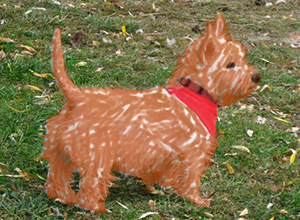
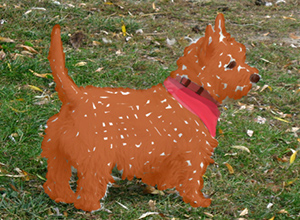
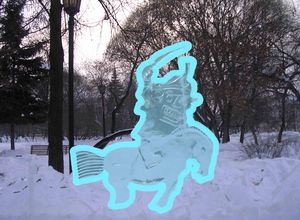
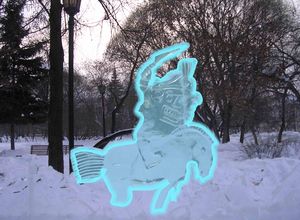
The Artistic Pencil draws lines with sharp boundaries and applies paint smoothly (without relief). Press P to quickly access this tool.


The tool's parameters will be shown in a floating box over an image (by right-clicking the mouse) and also in the Settings Panel (only if this option is selected in Preferences).

To change the setting for a parameter, enter a numerical value in its box and press Enter (Macintosh: Return) or move the slider.

  • Diameter (Diameter) (3-50). The maximum width of a line drawn by the tool (in pixels).
  • Fill (0-100). The lead's density in a single pencil stroke. When strokes are drawn over one another, they becomes denser. At lower values of this parameter, the color of applied strokes is weaker. When the parameter is set to 100%, the pencil draws strokes in the full density of the chosen color.

    Weak Fill Strong Fill
    Fill = 10 Fill = 80

  • Tilt (0-100). Imitates a pencil's tilt: pressure on one edge of the line is weakened. The stronger the pencil's tilt, the greater the difference between edges.

    Stroke of Artistic Pencil
    Edges Are Equal One edge is weaker because of tilt
    Tilt = 30 Tilt = 80

  • The pencil's color is set in the Color/Swatches palettes. To choose a different color bring the cursor over the spectral bar (the cursor will take the shape of a pipette) and click on the desired color or double-click on the square and choose a color from the Select Color dialog. In some cases, selecting a color is more convenient than manually selecting the components of a color via the sliders.

 
Cómo funciona Cómo funciona
   — Área de trabajo — Área de trabajo
   — Utilizar el programa — Utilizar el programa
   — Crear una nueva imagen — Crear una nueva imagen
   — Opciones — Opciones
   — Teclas de atajo — Teclas de atajo
Paletas Paletas
   — Barra de herramientas — Barra de herramientas
   — Color — Color
   — Muestras — Muestras
   — Historia — Historia
   — Capas — Capas
   — Canales — Canales
Pinceles standard Pinceles standard
   — Pincel de color — Pincel de color
   — Lápiz de color — Lápiz de color
   — Aerosol — Aerosol
   — Borrador — Borrador
   — Pincel histórico — Pincel histórico
   — Támpon de clonar — Támpon de clonar
   — Pincel Camaleón — Pincel Camaleón
   — Desenfocar — Desenfocar
   — Enfocar — Enfocar
   — Dedo — Dedo
   — Aclarar — Aclarar
   — Oscurecer — Oscurecer
   — Saturación — Saturación
Pinceles artísticos Pinceles artísticos
   — Pincel al óleo — Pincel al óleo
   — Rodillo — Rodillo
   — Rotulador — Rotulador
   — Barra de tiza — Barra de tiza
   — Lápiz artístico — Lápiz artístico
   — Aerosol artístico — Aerosol artístico
   — Borrador artístico — Borrador artístico
Herramientas Herramientas
   — Cuentagotas — Cuentagotas
   — Mano — Mano
   — Zoom — Zoom
Ejemplos Ejemplos
   — El tercero está de más — El tercero está de más


volver arriba


   Política de privacidad | Mapa Web | Buscar    
   Contáctenos | Twitter | Facebook | YouTube Channel    
| English  |Français  |Deutsch  | Español  |Português  |Italiano  |日本語  |Pусский  | © 2004-2012 AKVIS. Todos los derechos reservados.