Criando um Cartão de natal
Este exemplo foi criado por Michael Foutty no editor de fotos Xara Xtreme com a ajuda do plug-in AKVIS Coloriage.
Nota: O seguinte tutorial supõe que você tem um conhecimento básico para trabalhar dentro do Xara Xtreme.
De fundo de paisagem
Dentro do Xtreme crie um retângulo [800x600] e encha com a cor preta.
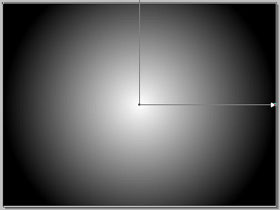
Selecione a Ferramenta de Preenchimento F5 (Fill Tool F5).
Escolha o Preenchimento elíptico (Elliptical fill) da lista de opções do menu. Ajuste de forma apropriada.
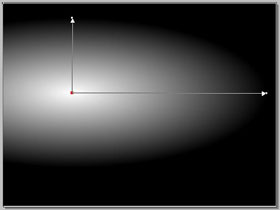
Nosso exemplo mostra uma paisagem rolante coberta de neve. Isto pode ser facilmente completado.
Neste momento converta o retângulo pela seleção Arrange/Convert to Editable shapes. Em seguida selecione a ferramenta Shape Editor e ajuste o fundo do retângulo para lhe dar a aparência de uma colina andulante.
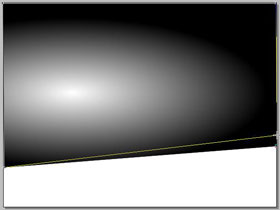
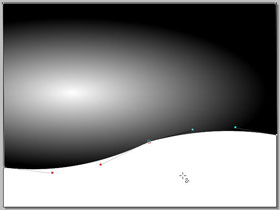
É tempo de colocar o plug-in AKVIS Coloriage para trabalhar e isto é feito clicando a ferramenta Live Effect Tool (Ctrl+F5) encontrado na caixa de ferramenta de Xara. Selecione o plug-in AKVIS Coloriage de dentro da lista e uma nova janela aparece.
Uma vez dentro da área de trabalho você encontra uma grande variedade de opções para decidir e assim como edição flexível/desfazer atividades.
Primeiro vamos protejer a intensidade da luz do sol. Isto pode ser feito usando o Lápis manter cores  e marcando pequeno circulo em volta dos centros solares.
Então aplique uma variedade de cores usando a ferramenta Lápis  . Imagine como as cores serão afetadas pela transparência da graduação da cor cinza.
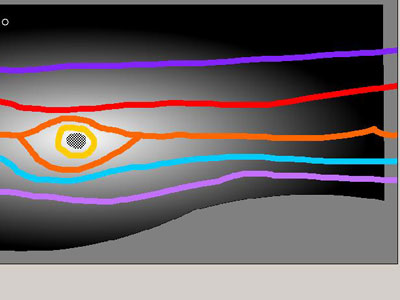
Quando pronto clique na flecha  para processar a imagem.
Se o resultado não corresponde a sua ideia simplesmente aperte a tecla Antes, faça toda e qualquer correção apagando/ajuste então clique na flecha correr outra vez.
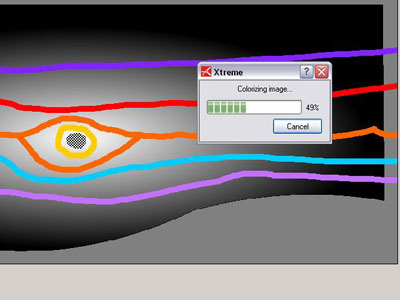
Quando estiver satisfeito, clique na flecha  executar e quando o AKVIS Coloriage completar seu processo você mais uma vez se encontra na área de trabalho de Xara.
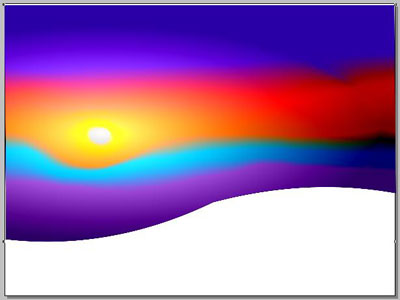
O fundo de paisagem esta completo.
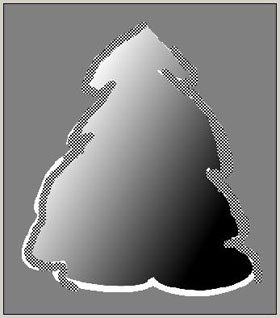
Agora crie uma árvore coberta de neve.
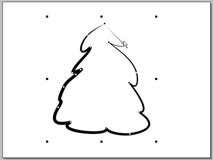
Use a ferramenta Pincel a Mão Livre (Freehand and Brush tool) e desenhe a forma.
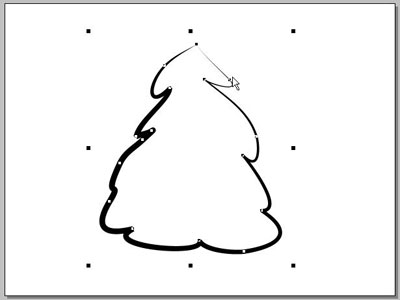
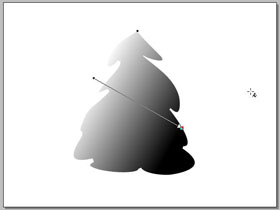
Ajuste a cor preta para o fundo da paisagem; e o branco como a cor da linha. Selecione a Ferramenta Preencher (Fill Tool) (F5). Desta vez escolha o preenchimento linear do menu drop down. Ajuste de foma apropriada.
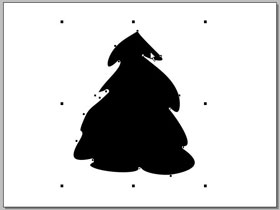
Selecione a forma da arvore e acesse o Plug-in AKVIS Coloriage mais uma vez.
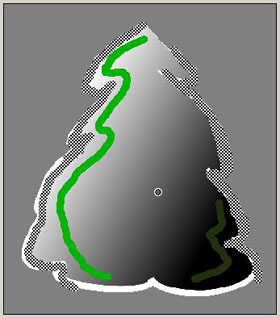
Primeiro vamos protejer a cobertura da neve branca como fizemos com a intensidade da luz solar. Isto também pode ser feito usando o Lápis manter cores e delinear as áreas de linha branca para assegurar que elas fiquem pura como a nova neve caindo.
Depois aplique os verdes para a árvore usando a Ferramenta Lápis. Lembre-se como a cor será afetada pela transparência da graduação da cor cinza.
Agora divirta-se adicionando pedaços de cores para simular luzes brilhantes sobre a árvore.
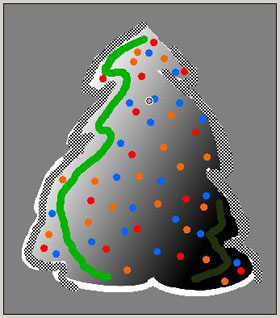
Quando pronta, processe e envie a imagem para retornar para Xara.
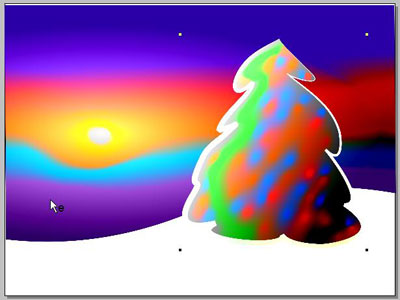
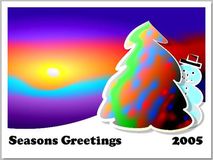
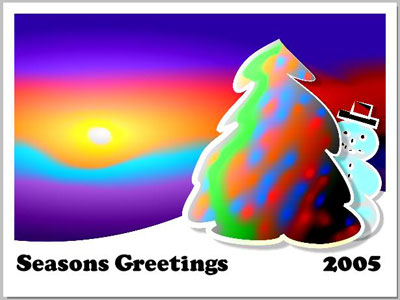
Aqui esta a imagem terminada com um pedaço de texto e um homem da neve!
Todo sucesso e feliz feriado!
Coloriage AI v. 15.7 - Teste gratuito 10 dias
