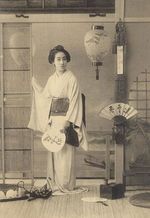
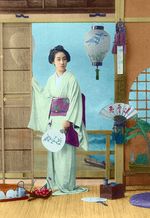
Um antigo cartão postal com uma gueixa
O exemplo foi feito por Laura Mabee no AliveColors.
A descrição do exemplo foi escrita pela autora.
Vou lhes mostrar neste tutorial como fiz um exotismo antigo reviver com AKVIS Coloriage AI (modo Clássico) com esta breve fotografia de 1900 de uma gueixa.
-
Passo 1. Abra o cartão postal com a gueixa no seu programa editor de foto, por exemplo, AliveColors.
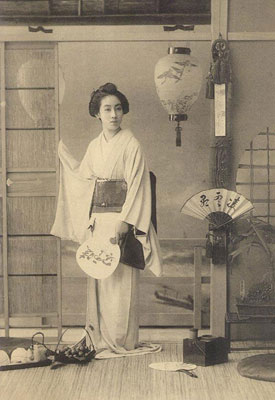
- Passo 2. Inicie o plug-in AKVIS Coloriage AI. Selecione no menu do AliveColors o item Effects –> AKVIS –> Coloriage AI.
-
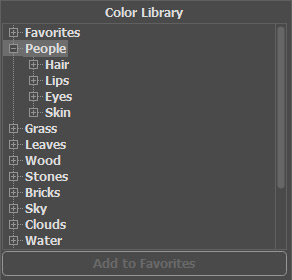
Passo 3. Decida qual a cor que deseja usar para fazer da sua imagem uma peça de arte. Leve o tempo que quiser, lembre-se que Da Vinci não pintou a Mona Lisa em uma hora.
Usando a utilíssima AKVIS Bibilioteca de cores, escolha as cores para o cartão postal.
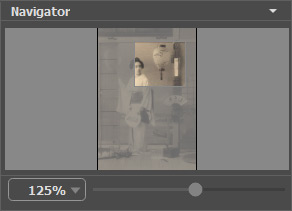
- Passo 4. Comece a contornar os objetos em sua imagem com suas respeitadas cores. Se sentir que quer atingir pequenos detalhes, simplesmente zoom com Coloriage AI acessível ferramenta Zoom. Use a tecla de atalho para ajustar o tamanho do Lápis
 : para reduzir o tamanho do pincel pressione a tecla [, para aumentar o tamanho do pincel pressione a tecla ] no teclado:
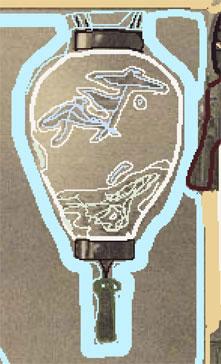
- Passo 5. Dependendo da quantidade de detalhes que deseja usar, pode ser meticuloso ou pode simplesmente delinear seu caminho para a peça final! Sendo meticuloso com a sombra da lâmpada:
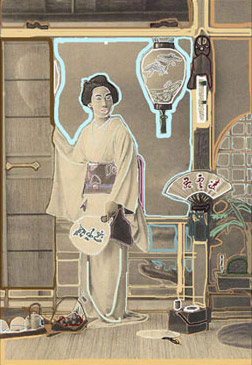
- Passo 6. Olhe para a sua fotografia depois você pensa que já tem tudo feito:
- Passo 7. Então pressione a seta coloriage
 e voilà!
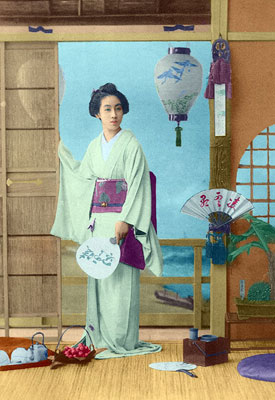
Coloriage AI v. 15.7 - Teste gratuito 10 dias

- Passo 4. Comece a contornar os objetos em sua imagem com suas respeitadas cores. Se sentir que quer atingir pequenos detalhes, simplesmente zoom com Coloriage AI acessível ferramenta Zoom. Use a tecla de atalho para ajustar o tamanho do Lápis