Restoration of a Photo of a Baby
AKVIS Retoucher helps you to restore photos from your family archives. With the lapse of time old photographs become jagged, get scratches, dust and stains. But it is possible to turn back the clock.
- Step 1. Open the old photo in AKVIS Retoucher.
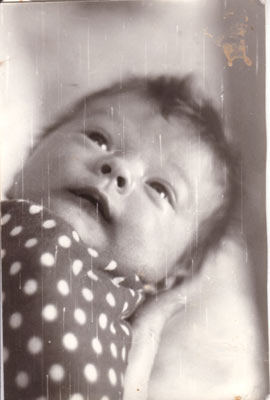
- Step 2. Using the Selection Brush
 select all the defects: scratches, stains, unwanted details. The selected areas are highlighted in red.
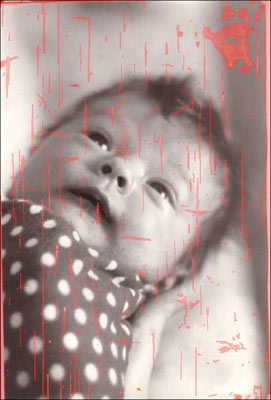
- Step 3. Press the button
 to start the restoration process.
The work is done automatically. The software reconstructs the selected parts of the image intelligently using samples from the surrounding areas. It looks like magic when you observe the defects vanishing before your very eyes.
- Step 4. The restoration process is over, and you see the retouched image. Now you can save it.
The old damaged photo is brought back to life!
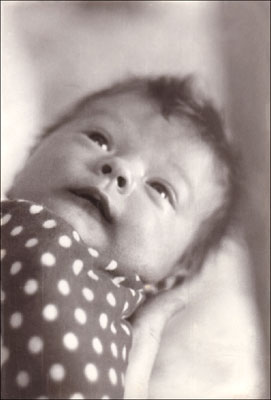
Below you will find instructions how to win the fight against the aging of your photos using AKVIS Retoucher.
You can take any old photo and try to repeat the steps. As you can see, the most difficult is to identify areas to be restored. Actually, it is not complicated, just needs some attention.
Now try to imagine the fully manual retouching process and how long it would take to restore a damaged picture. AKVIS Retoucher saves you time and increases productivity!
Retoucher v. 12.2 - 10日間の評価期間
