Graphic software for Windows Mac graphic software
AKVIS ニュースの購読を申し込むには, 電子メールアドレスを入力してください。
 
  
  プログラム     ダウンロード     サイバーショップ     チュートリアル     サポート     会社情報
en  fr  de  es  pt  it  jp  ru    
 

チュートリアル: AKVIS Enhancer

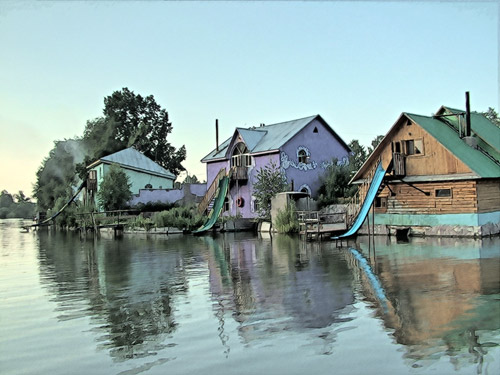
Fun Slides in the Countryside


あいにく, このページは英語にだけ使用可能です。日本語のバージョンは遠からず出ります。

In this tutorial we will show you how to generate an HDR-image from a series of shots taken with different exposure settings.

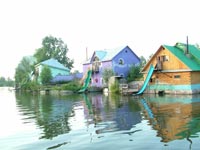
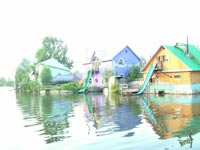
Original shots:

the same scene under different exposures the same scene under different exposuresthe same scene under different exposures

Result:

the resulting HDR-image
  • Step 1. Launch the standalone application AKVIS Enhancer.

  • Step 2. Open a series of shots: click the button in the Toolbar of AKVIS Enhancer and select the required files in the dialog box.
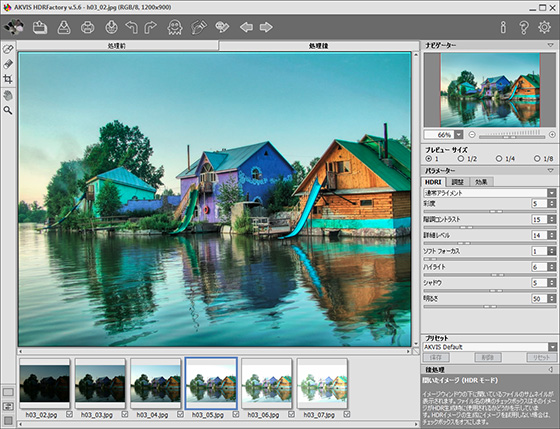
    AKVIS Enhancer window
  • Step 3. Click on Apply. You will get an HDR-image generated at default parameters (in this case it is the AKVIS Default preset). The result will be shown in the After-tab.
    After AKVIS Enhancer
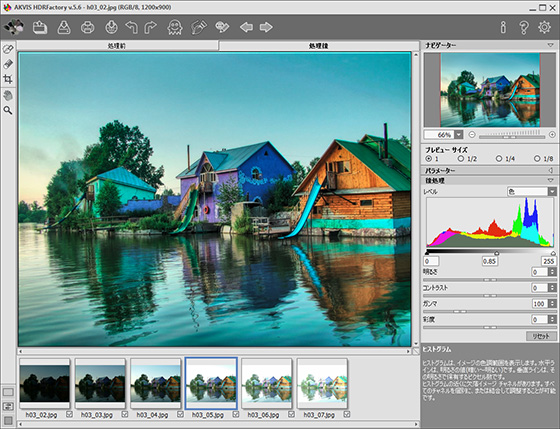
  • Step 4. Now switch to the Post Processing tab. Increase the image contrast by moving the gray point to the right.
    improved image contrast
  • Step 5. Save the result. For this purpose click on in the Toolbar and indicate the folder in the Save as dialog box.
    Image created using HDR technology

    The photo is ready. You can continue editing, if you like.

    For example, turn the photo into a watercolor drawing using AKVIS Sketch,

    watercolor drawing
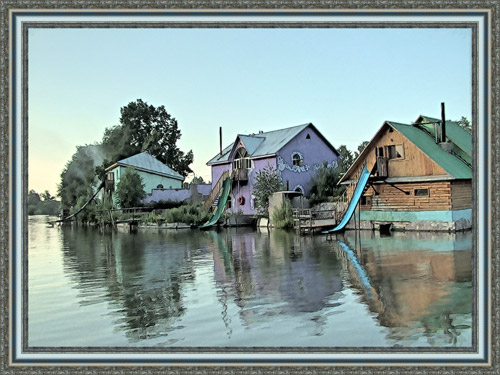
  • or add a photo frame to the image using AKVIS Frame Suite.

    Add a photo frame
 
操作方法 操作方法
AKVIS Enhancer プラグイン AKVIS Enhancer プラグイン
   — ワークスペース — ワークスペース
   — Enhancerモード
 — Enhancerモード
   — フォーカス モード
 — フォーカス モード
   — バッチ処理 — バッチ処理
AKVIS Enhancer スタンドアロン (+HDR) AKVIS Enhancer スタンドアロン (+HDR)
   — ワークスペース — ワークスペース
   — Enhancerモード
 — Enhancerモード
   — フォーカス モード — フォーカス モード
   — 連続した写真の処理(HDRモード) — 連続した写真の処理(HDRモード)
   — HDRIとは? — HDRIとは?
   — 後処理 — 後処理
操作例 操作例
   — 街路 — 街路
   — 庭で遊ぶ子供 — 庭で遊ぶ子供
   — 高地の風景(HDR) — 高地の風景(HDR)
   — 大型トラック — 大型トラック
   — 古代都市 — 古代都市
   — シカ — シカ
   — 教会 — 教会


   プライバシー | サイトマップ | Web サイトの検索 | English  | Français  | Deutsch  | Español  | Português  | Italiano  | 日本語  | Pусский  | © 2004-2008, AKVIS Software Inc. All rights reserved.