Raise spirits
あいにく, このページは英語にだけ使用可能です。
Raise spirits by adding color to dull things and you will see the world changing.
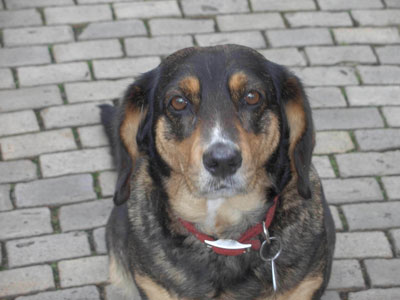
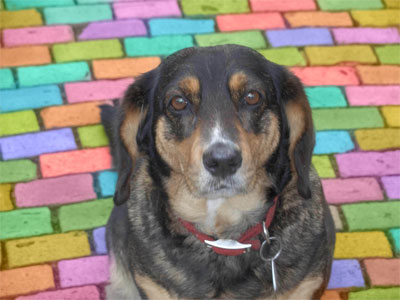
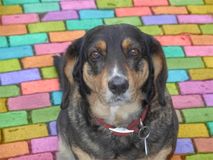
Here we have a photo of a nice dog from Dresden sent to us by Victor Novikov. The dog is charming, but the background is a bit dull. We will turn the pavement into a bright mosaic.
-
Step 1. Open the photo of a dog.
-
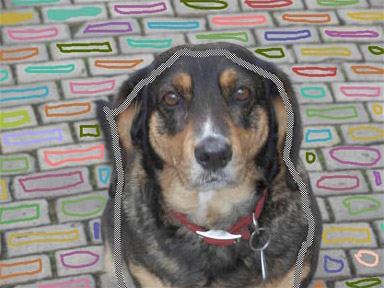
Step 2. To make a color mosaic of this pavement we use the Pencil tool
 and assign a color for every cobble. It is also possible to draw outlines with one color and then use the Tube tool
  to colorize every cobble in the color you like.
-
Step 3. Use the Keep Color Pencil
 to draw an outline within the dog so that the dog keeps its colors and does not take on the colors of the pavement.
-
Step 4. Press the button
 and the dull pavement will turn into a colorful background.
 |
 |
Coloriage AI v. 15.7 - 10日間の評価期間
