Colorize a bas-relief
あいにく, このページは英語にだけ使用可能です。
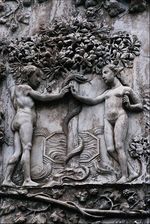
Bas-relief is a method of sculpting which entails carving the surface of a flat piece of stone. The resulting image is raised above the background flat surface. Sometimes the resulting image has been painted, and other times it has been left in the natural state of the material used.
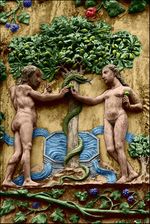
In this example we will apply AKVIS Coloriage AI to paint a one-color bas-relief.
 |
 |
-
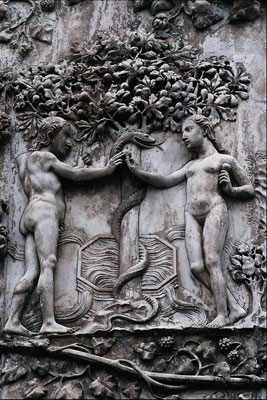
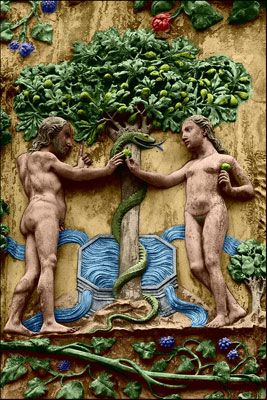
Step 1. Open the photo of a bas-relief in your photo editor. We have chosen a bas-relief of Adam and Eve near the Tree of Knowledge of Good and Evil.
- Step 2. Call the AKVIS Coloriage AI plug-in. For this purpose in AliveColors select the menu item Effects – AKVIS – Coloriage AI; in Adobe Photoshop select the menu item Filter – AKVIS – Coloriage AI; in Corel Photo-Paint - select the menu item Effects – AKVIS – Coloriage AI.
-
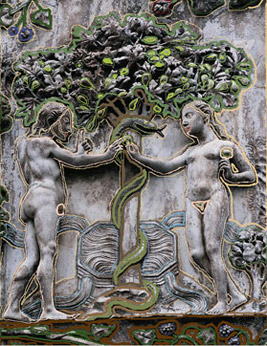
Step 3. We will draw an outline within every element of the bas-relief with the chosen color. We will select a color for the skin, hair and the lips from from the People group of the Color Library, the color for the tree's leaves can be taken from the Leaves group, the color for the trunk and the branches - from the Wood - Trunks group, for the water - from the Water group.
-
Step 4. Press the button
 and you will see the colorized image in the After tab.
-
Step 5. Press the button
 to apply the results of the colorization to the picture of the bas-relief and close the plug-in window.
Coloriage AI v. 15.7 - 10日間の評価期間
