Dipingere una casa
Potete colorare questa foto voi stessi, usando i materiali che vi forniamo. Scaricare l'archivio contenente l'immagine originale e il file con i tratti (*. strokes). Leggere le istruzioni per imparare ad utilizzare i file .strokes con AKVIS Coloriage AI.
In precedenza, nell'esempio "Opzioni di colore per un design d'interni", abbiamo mostrato come utilizzare AKVIS Coloriage AI (тella modalità Classica) per modificare la gamma dei colori di un interno. Ora ci occuperemo con un design esterno cambiando la tinta della facciata di una casa.


In questo tutorial usiamo la versione plugin, ma si può utilizzare anche il programma standalone, il metodo di lavoro è analogo.
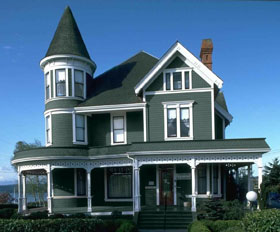
Per creare il tutorial abbiamo scelto la seguente foto:
- Passaggio 1. Aprire la foto nell’editor grafico e lanciare il plugin AKVIS Coloriage AI.
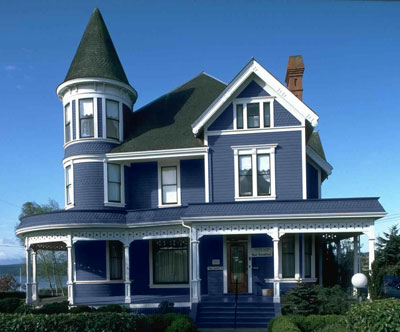
- Passaggio 2. Nella modalità Classica selezionare un colore per la facciata, ad esempio blu.
-
Passaggio 3. Attivare lo strumento Matita
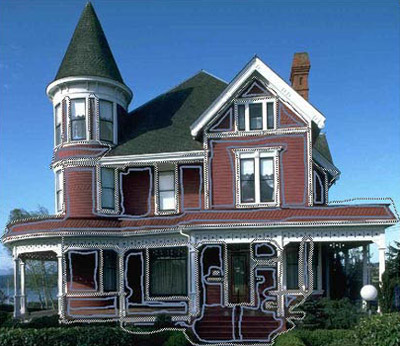
 e disegnare il profilo interno di ogni elemento rosso della facciata.
-
Passaggio 4. Disegnare un contorno chiuso intorno ad ogni oggetto rosso e a tutto quello che deve rimanere inalterato con la Matita conserva colore
 .
.
Per regolare la dimensione degli strumenti Matita
, Matita conserva colore e Gomma  è possibile utilizzare il cursore di scorrimento nella finestra che appare quando si preme sull’ icona corrispondente, oppure utilizzare i tasti rapidi [ e ].
-
Passaggio 5. Avviare il processo di colorazione premendo su
 .
.
-
Passaggio 6. Applicare il risultato premendo su
 .
.
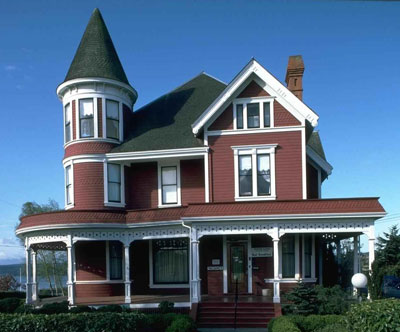
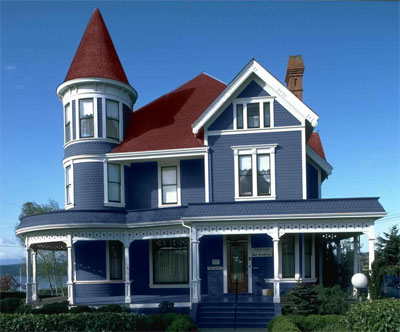
Ecco alcune variazione di colore della facciata…
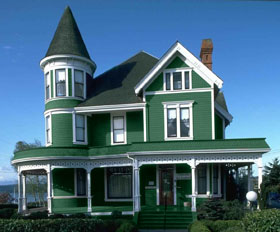
…e del tetto.
Coloriage AI v. 15.7 - 10-giorni di prova gratuita
