Graphic software for Windows Mac graphic software
Entrez votre e-mail pour souscrire à notre liste de diffusion.
 
  
  Produits     Télécharger     Magasin en ligne     Tutoriel     Support     Compagnie
en  fr  de  es  pt  it  jp  ru    
 

Tutoriel: AKVIS MultiBrush

Removing Facial Shine


Désolé, à présent cette information n'est disponible qu'en anglais. La version française sera bientôt affichée.

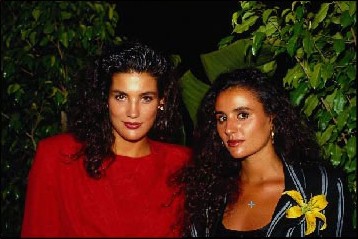
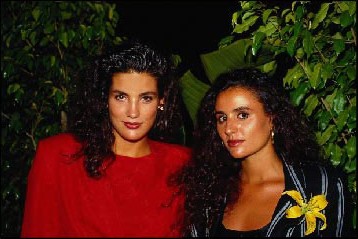
Sometimes a good portrait may be damaged by facial shine from perspiration or facial oil.

Here AKVIS MultiBrush can help us.

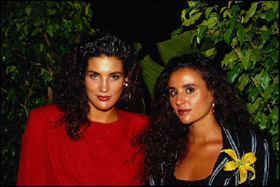
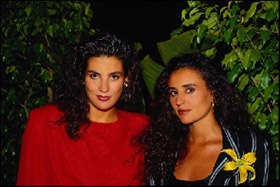
Original image Result
  • Step 1. Select the Chameleon Brush tool from the Toolbar pressing the button and adjust the size of the brush.
  • Step 2. Deactivate the check box Aligned so that every time you apply the stamp the pattern is taken from one and the same starting point.
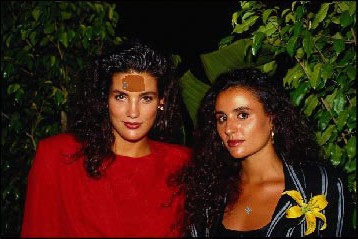
  • Step 3. Press the Alt-key (Option on Macintosh) and use the left mouse button to specify the pattern on the face that doesn't have greasy shine. You can also sample a pattern on the neck or decollete.
    Specify the pattern for cloning
  • Step 4. Put the cursor to the forehead of the girl in red and apply the cloned pattern to the greasy shine.
    Apply the patern to the greasy shine

    As soon as you release the button, the cloned object adjusts to the color of the original image.

    Forehead without greasy shine
  • Step 5. We will process the cheeks and the chin of the girl in red in the same way. Then we will proceed to the second girl.


    And now we have the retouched portrait without facial oily shine.

    Let's compare "before" and "after" images:

    Original image Result
 
Comment fonctionne-t-il? Comment fonctionne-t-il?
   — Espace de travail — Espace de travail
   — Comment fonctionne-t-il? — Comment fonctionne-t-il?
Palettes Palettes
   — Barre d'outils — Barre d'outils
   — Couleur — Couleur
   — Échantillons — Échantillons
   — Histoire  — Histoire
Pinceaux Pinceaux
   — Pinceau — Pinceau
   — Crayon — Crayon
   — Gomme — Gomme
   — Pinceau historique — Pinceau historique
   — Tampon de clonage — Tampon de clonage
   — Tampon Caméléon — Tampon Caméléon
   — Flou — Flou
   — Netteté — Netteté
   — Doigt — Doigt
   — Éclaircir — Éclaircir
   — Obscurcir — Obscurcir
   — Saturation — Saturation
Outils Outils
   — Pipette — Pipette
   — Main — Main
   — Zoom — Zoom
Exemples Exemples
   — Le troisième est de trop — Le troisième est de trop
   — Alter ego — Alter ego
   — Retouche d'une vieille photo — Retouche d'une vieille photo


   Politique de Confidentialité | Plan du Site | Recherche | English  | Français  |Deutsch  |Español  |Português  |Italiano  |日本語  |Pусский  | © 2004-2009, AKVIS Software Inc. Tous droits réservés.