Hacer una tarjeta de Navidad
Este ejemplo fue creado por Michael Foutty con el editor fotográfico Xara Xtreme con ayuda del plugin AKVIS Coloriage.
Nota: En el siguiente tutorial se asume que usted tiene conocimientos básicos del trabajo con Xara Xtreme.
Creación del fondo
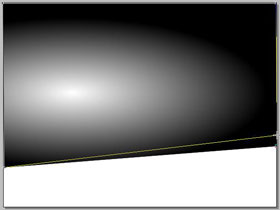
Con las herramientas de Xtreme cree un rectángulo (800x600) y ponga el color de relleno en negro. Seleccione la Herramienta de Relleno F5. Escoja el Relleno Elíptico del menú desplegable. Ajuste como convenga.
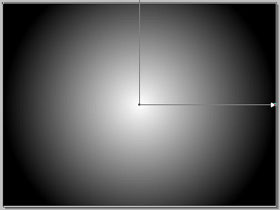
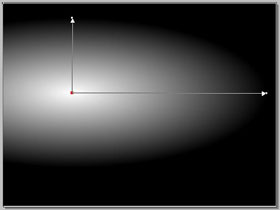
Nuestros ejemplos muestran una un paisaje cubierto de nieve. Se puede lograr fácilmente. Sólo debe seguir los siguientes pasos: convertir el rectángulo mediante Organizar/Convertir a formas editables. Luego seleccionar la Herramienta Edición de Formas y ajustar la parte inferior del rectángulo para dar la apariencia de una colina inclinada.
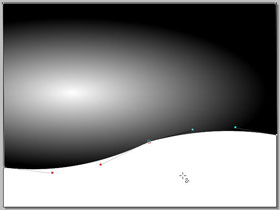
En este punto se pone a trabajar el plug-in Coloriage, haciendo clic en la Herramienta Efecto Directo (Ctrl+F5) de la caja de herramientas de Xara. Se selecciona el plugin Coloriage de la lista y aparece una nueva ventana.
En el área de trabajo encuentra una variedad de opciones para elegir, así como la posibilidad de editar y deshacer.
Primero, proteja la intensidad de la luz solar. Se puede hacer utilizando la herramienta Guarda-color  , y haciendo un pequeño círculo alrededor del centro del sol.
Luego aplique variedad de colores utilizando la herramienta Lápiz  . Tenga presente que los colores se verán afectados por la trasparencia de la escala de grises.
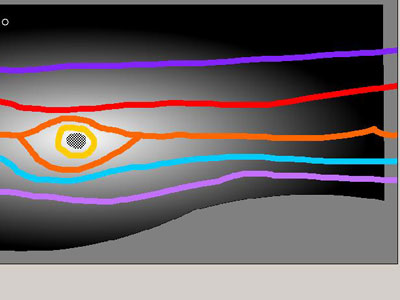
Cuando esté listo, hagas clic en la flecha ejecutar  para procesar la imagen. Si los resultados no son los esperados, simplemente retroceda utilizando la orden Antes, haga los ajustes o borrados necesarios y de clic en la flecha nuevamente.
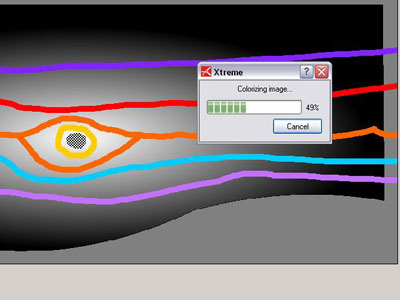
Cuando esté satisfecho con el resultado, haga clic en el botón confirmar  y cuándo Coloriage complete el proceso, nuevamente se encontrará en el área de trabajo de Xara.
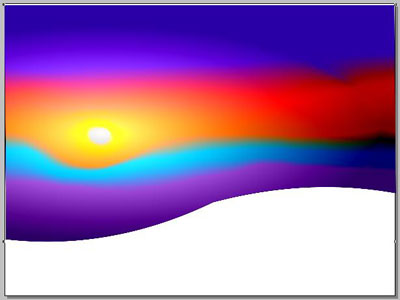
El fondo está listo.
Ahora cree un árbol cubierto de nieve
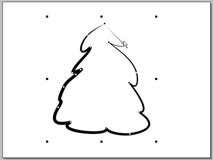
Use la Herramienta Mano Alzada y Pincel y diseñe la figura.
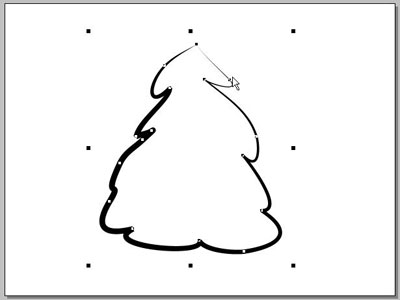
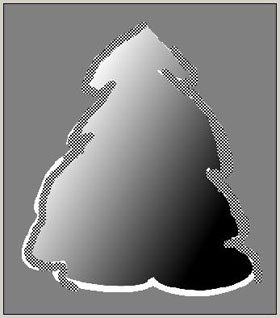
Ponga el fondo en negro, la línea de color en blanco. Seleccione la Herramienta de Relleno (F5). Esta vez escoja el relleno lineal del menú desplegable. Ajuste a conveniencia.
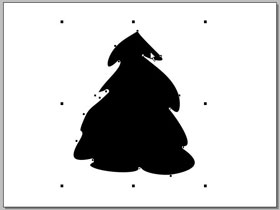
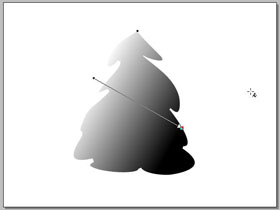
Seleccione la figura del árbol y abra el plug-in Coloriage otra vez.
Primero, proteja la capa de nieve blanca como lo hizo con la intensidad de la luz del sol. Nuevamente puede hacerse utilizando la herramienta Guarda-color, indicando las áreas de líneas blancas para asegurarse que se me mantienen puras, como nieve recién caída.
Ahora aplique los verdes para el árbol utilizando la herramienta Lápiz. Recuerde que los colores se verán afectados por la trasparencia de la escala de grises.
Ahora diviértase un poco adicionando toques de color que simulen lucecitas en el árbol.
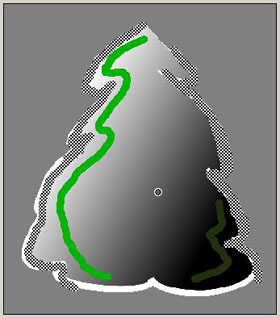
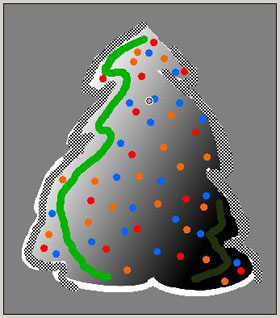
Cuando esté listo, procese y confirme la imagen para regresar a Xara.
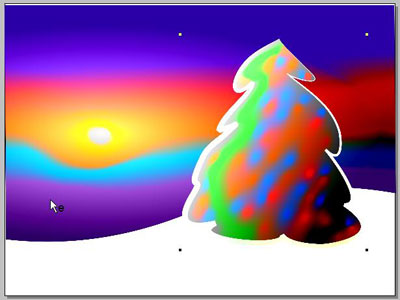
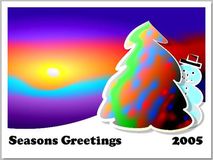
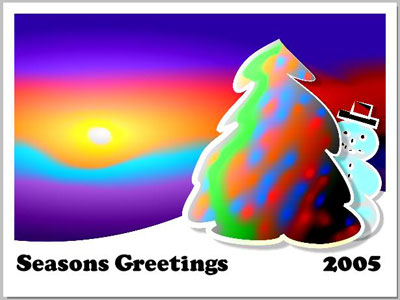
Aquí está la imagen completa con un poco de texto y un muñeco de nieve!
¡Éxito y Felices Fiestas!
Coloriage AI v. 15.7 - Prueba gratuita de 10 días
