Graphic software for Windows Mac graphic software
Please enter your email to be kept posted on updates and discounts:
 
  
  Products     Download     Online Store     Tutorial     Support     Company
en  fr  de  es  pt  it  jp  ru    
 

Tutorial: AKVIS LightShop

How to Work with the Program


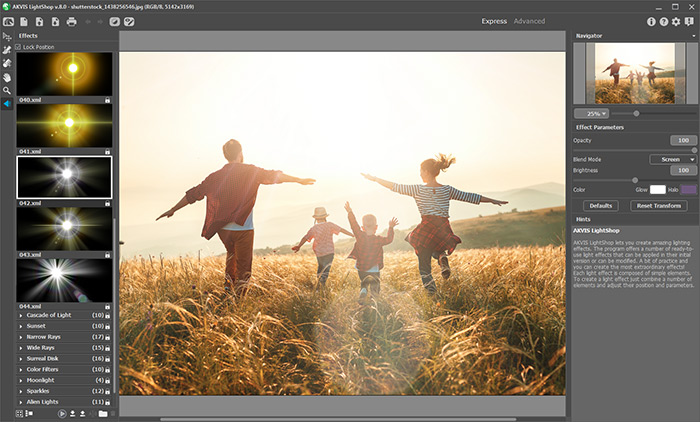
AKVIS LightShop creates amazing light effects.

These light effects often have a complex structure and many parameters and modifiers. However, thanks to the Hints to every parameter you will not get lost in the interface. A bit of practice and you can create the most extraordinary effects.

Learn how to create light effects:

 
How It Works How It Works
   — Workspace — Workspace
   — Applying a Light Effect — Applying a Light Effect
   — Editing Light Effects — Editing Light Effects
   — Creating new light effects — Creating new light effects
   — Common parameters — Common parameters
   — Options — Options
Elements and Their Parameters Elements and Their Parameters
   — Blob — Blob
   — Ring — Ring
   — Rays — Rays
   — Stripe — Stripe
   — Particles — Particles
   — SpikeBall — SpikeBall
   — PolySpikeBall — PolySpikeBall
   — PhotonSpikeBall — PhotonSpikeBall
Modifiers Modifiers
   — Scale — Scale
   — Rotate — Rotate
   — Move — Move
   — Flower — Flower
   — Star — Star
   — Whirlpool — Whirlpool
   — MaskSector — MaskSector
   — Fractal — Fractal
   — Inferno — Inferno
Examples Examples
   — Thunder and Lightning — Thunder and Lightning
   — Firework over the City — Firework over the City
   — Rooster Constellation — Rooster Constellation
   — Fantastic Cocktail — Fantastic Cocktail
   — Snow Bursts (Greeting Card) — Snow Bursts (Greeting Card)
   — A Fire in a Castle — A Fire in a Castle
   — Kansas City - a Desktop Wallpaper — Kansas City - a Desktop Wallpaper


   Privacy Policy | Site Map | Search | English  |Français  |Deutsch  |Español  |Português  |Italiano  |日本語  |Pусский  | © 2004-2009, AKVIS Software Inc. All rights reserved.