Graphic software for Windows Mac graphic software
Please enter your email to be kept posted on updates and discounts:
 
  
  Products     Download     Online Store     Tutorial     Support     Company
en  fr  de  es  pt  it  jp  ru    
 

Tutorial: AKVIS Enhancer

Comparison of Enhancer and Smart Correction modes


Enhancer and Smart Correction modes are designed to improve images. Both work with areas in light and shadow, to reveal previously obscure details. "Then why do we need too modes and why should we not just choose one and use it?" you ask? Answer: the main goal - correction, is the same, but the methods used and the results are quite different.
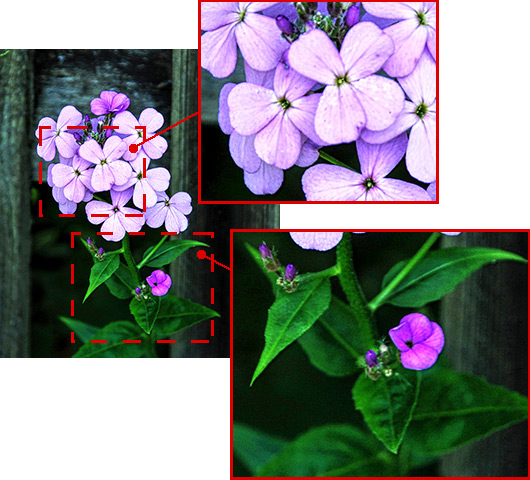
Enhancer mode strengthens the difference between pixels to reveal additional details hidden in an image. Details are its strong point. However, in revealing details it can also strengthen digital noise which is often present in photos.
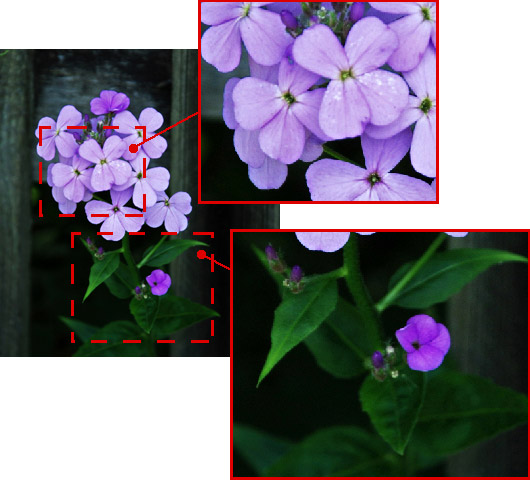
Smart Correction mode improves an image through tone correction, which leads to certain colors in an image becoming lighter or darker. Processing is not just performed in light and shadow, but also to the colors of shadows, which improves the image within the specified color range. Due to this it may lead to a lack of depth in an image compared to Enhancer mode. It is best to use when making tone correction in certain areas of an image.
Compare the results of the same image processed in different modes to see the difference:

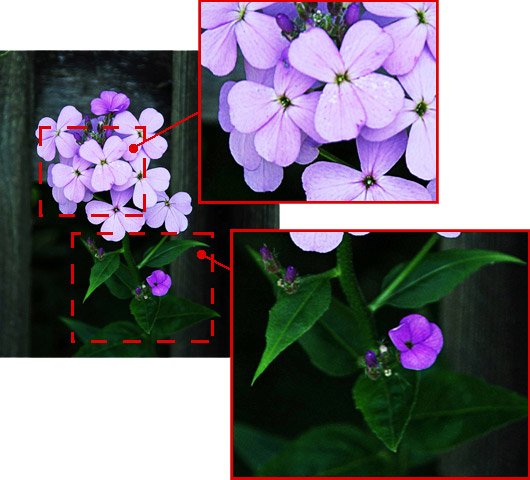
Source image of a flower
Source image
Click on an image to view a larger version in a separate window
 
Correction with Enhancer mode
Result With "Enhancer" Mode
Click on an image to view a larger version in a separate window
 
Correction with Smart Correction mode
Result With "Smart Correction" Mode
Click on an image to view a larger version in a separate window
 

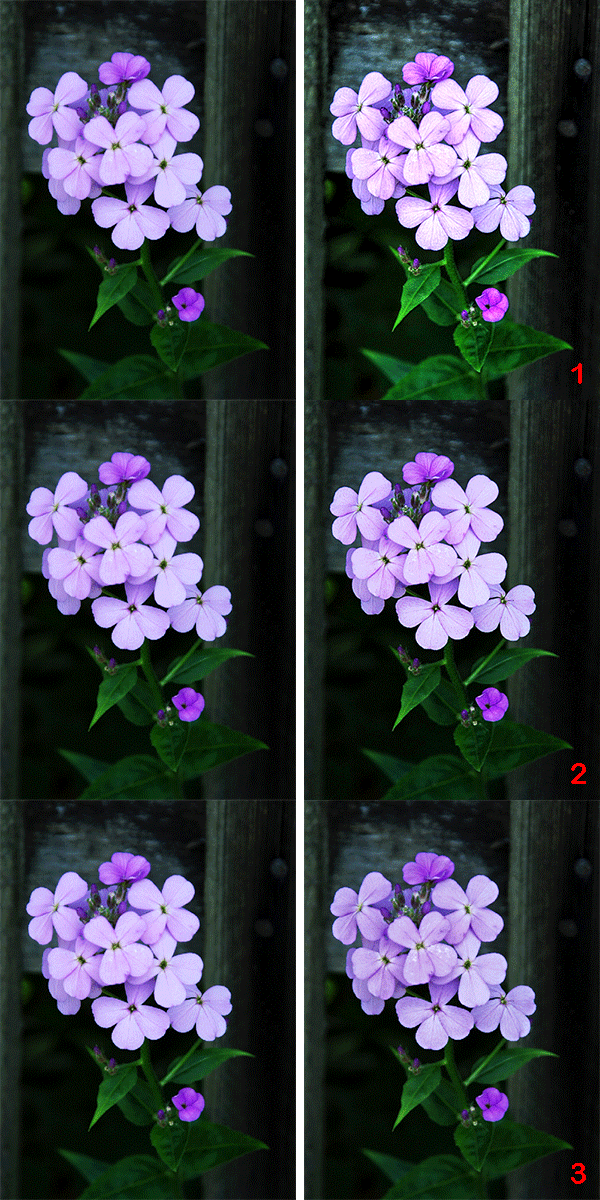
In Enhancer mode the entire image was processed. Details were revealed well on the stems and leaves, but the flower petals came out too bright. In Smart Correction mode color restriction has been set. The color lilac was chosen (the predominant color of the petals) and only areas with this color were processed. Other areas (the stem, leaves, and the background) were left unchanged.

The Original Image and Results After Processing in Enhancer and Smart Correction Modes
Source image Result:
1 - Enhancer mode
2 - Smart Correction Mode


These results show that when comparing Enhancer and Smart Correction modes, one is not always superior to the other. Different photos require different approaches at correction, so it is not possible to predict beforehand which mode would be more effective. In many cases the modes complement one another. Applying changes with both modes to an images can improve the result. If you use both modes on an image, we recommend using Enhancer mode first, saving the image, then restarting in Smart Correction mode.

 
How It Works How It Works
AKVIS Enhancer Plugin AKVIS Enhancer Plugin
   — Workspace — Workspace
   — Enhancer Mode — Enhancer Mode
   — Focus Mode — Focus Mode
   — Smart Correction Mode — Smart Correction Mode
   — Batch Processing — Batch Processing
AKVIS Enhancer Standalone  (+HDR) AKVIS Enhancer Standalone (+HDR)
   — Workspace — Workspace
   — Enhancer Mode — Enhancer Mode
   — Focus Mode — Focus Mode
   — Smart Correction Mode — Smart Correction Mode
   — HDR Mode (Series of Shots) — HDR Mode (Series of Shots)
   — What Does HDRI Mean? — What Does HDRI Mean?
   — Post Processing — Post Processing
Examples Examples
   — In the Street — In the Street
   — A Child in the Garden — A Child in the Garden
   — Highlands scenery (HDR)  — Highlands scenery (HDR)
   — See the lorry in detail — See the lorry in detail
   — Neuschwanstein Castle — Neuschwanstein Castle
   — Ancient Town — Ancient Town
   — Fun Slides in the Countryside (HDR) — Fun Slides in the Countryside (HDR)
   — Increase the Clearness of a Photo — Increase the Clearness of a Photo
   — Dark Picture of a Church — Dark Picture of a Church
   — Tennis-court — Tennis-court
   — Archery — Archery
   — Orange Tree — Orange Tree
   — Backlight Photo — Backlight Photo
   — Technical Illustration — Technical Illustration
   — Town at Night — Town at Night
   — Underexposed Photo — Underexposed Photo
   — A Kid with a Rattle — A Kid with a Rattle
   — African Kids — African Kids
   — A Siamese Cat — A Siamese Cat
   — Remove Smog from the Photo — Remove Smog from the Photo
   — Poet and Doves — Poet and Doves
   — A Black Cat in a Dark Room — A Black Cat in a Dark Room
   — Christmas Market — Christmas Market
   — Exposure Correction — Exposure Correction
   — Correction of a Dark Photo — Correction of a Dark Photo
   — Khan Palace Photo — Khan Palace Photo
   — Photo Correction: Lightening — Photo Correction: Lightening
   — Show Details in Shadows — Show Details in Shadows
   — An Old Brewery in a New Light (HDR) — An Old Brewery in a New Light (HDR)
   — The Golden Pavilion — The Golden Pavilion
   — An Ominous Way: Strengthen the Effect  — An Ominous Way: Strengthen the Effect


   Privacy Policy | Site Map | Search | English  |Français  |Deutsch  |Español  |Português  |Italiano  |日本語  |Pусский  | © 2004-2009, AKVIS Software Inc. All rights reserved.