Sternbild Hahn
Das Beispiel wurde in der alten Version von AKVIS LightShop erstellt.
Lesen Sie, wie man die aktuelle Programmversion benutzt.
Der Autor dieses Beispiels ist Graeme King. Er zeigt uns, wie man ein wundervolles Bild erzeugen kann, lediglich mit AKVIS LightShop, ohne Stifte oder Pinsel zu nutzen.
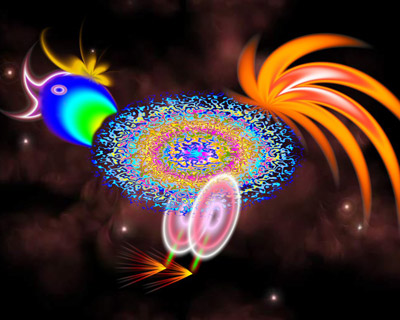
Wir werden einen kosmischen Hahn erzeugen.
 "AKVIS LightShop: Kosmischer Hahn") |
| Klicken Sie auf das Bild, um eine vergrößerte Version zu sehen |
Das Tutorial wurde mit Jasc Paint Shop Pro 8 erstellt, aber Sie können jedes Bildbearbeitungsprogramm verwenden, das mit dem Plugin AKVIS kompatibel ist.
- Schritt 1. Öffnen Sie Ihre Bildbearbeitungssoftware und wählen Datei -> Neu.
- Schritt 2. Als erstes erzeugen wir den Körper des Hahns. Legen Sie eine neue Ebene an und wählen diese in der Ebenenleiste aus.
- Schritt 3. Rufen Sie AKVIS LightShop aus dem Hauptmenü: Effekte -> Plugins -> AKVIS -> LightShop auf. Wählen Sie Sample 51 aus den AKVIS-Presets und doppelklicken das Symbol links.
Klicken Sie auf den Knopf
 und warten Sie einen Augenblick.
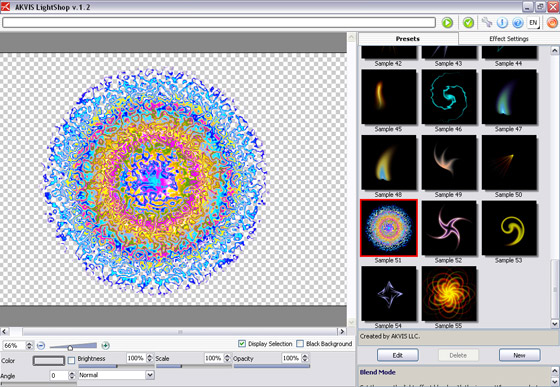
Ohne die Einstellungen zu ändern, klicken Sie auf
 , um das Ergebnis anzunehmen und das Pluginfenster zu schließen.
- Schritt 4. Wählen Sie Frei Transformieren in dem Toolbar der Bildbearbeitungssoftware aus und passen Sie die Größe, Form und Position der Figur, sodass sie sich nach dem Hahnkörper zieht.
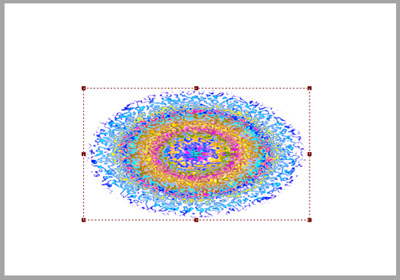
- Schritt 5. Jetzt zeichnen wir den Kopf des Hahns. Erzeugen Sie eine weitere Ebene und rufen Sie den Plugin AKVIS Lightshop auf. Diesmal wählen wir Sample 21.
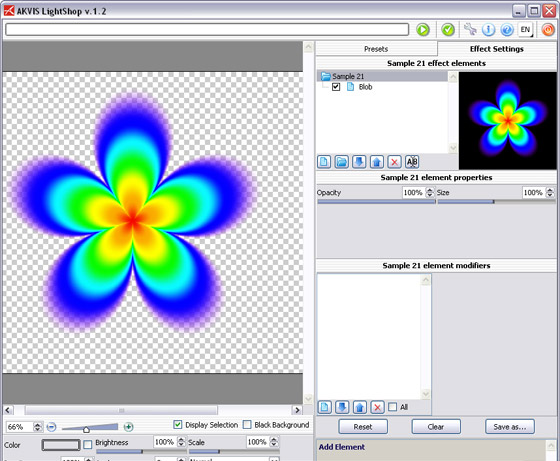
Nehmen Sie das Ergebnis an, indem sie auf
klicken.
- Schritt 6. Wir benötigen nur ein Blatt, daher entfernen Sie die überzähligen, indem Sie ein Blatt mit dem Freihandauswahl-Werkzeug umreißen. Danach kehren Sie die Auswahl um und löschen sie. Somit bleibt nur das einzige Blatt übrig.
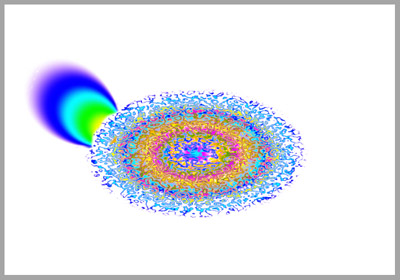
- Schritt 7. Als nächstes zeichnen wir ein Auge, ebenfalls mit AKVIS Lightshop. Dafür wählen wir Sample 33, für den Schnabel - Sample 52 und für den Kamm - Sample 04.
Danach sollte das Bild so aussehen:
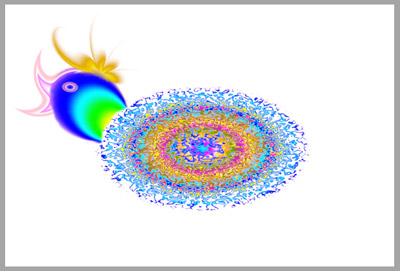
- Schritt 8. Für die Füße wählen wir Sample 33 und Sample 50.
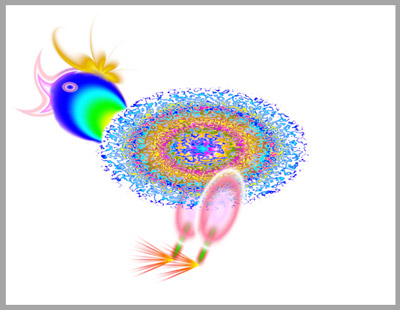
- Schritt 9. Jetzt fehlt nur noch der Schwanz, diesen erzeugen wir mit AKVIS LightShop mit Sample 08.
Der Hahn ist fertig.
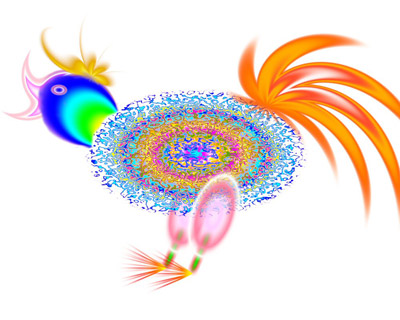
- Schritt 10. Wenn Sie jetzt noch einen Hintergrund mit einem dunklen Sternenhimmel einfügen, können sie ihr Kunstwerk in Vollendung sehen.
LightShop v. 8.0 - 10-Tage-Testversion

